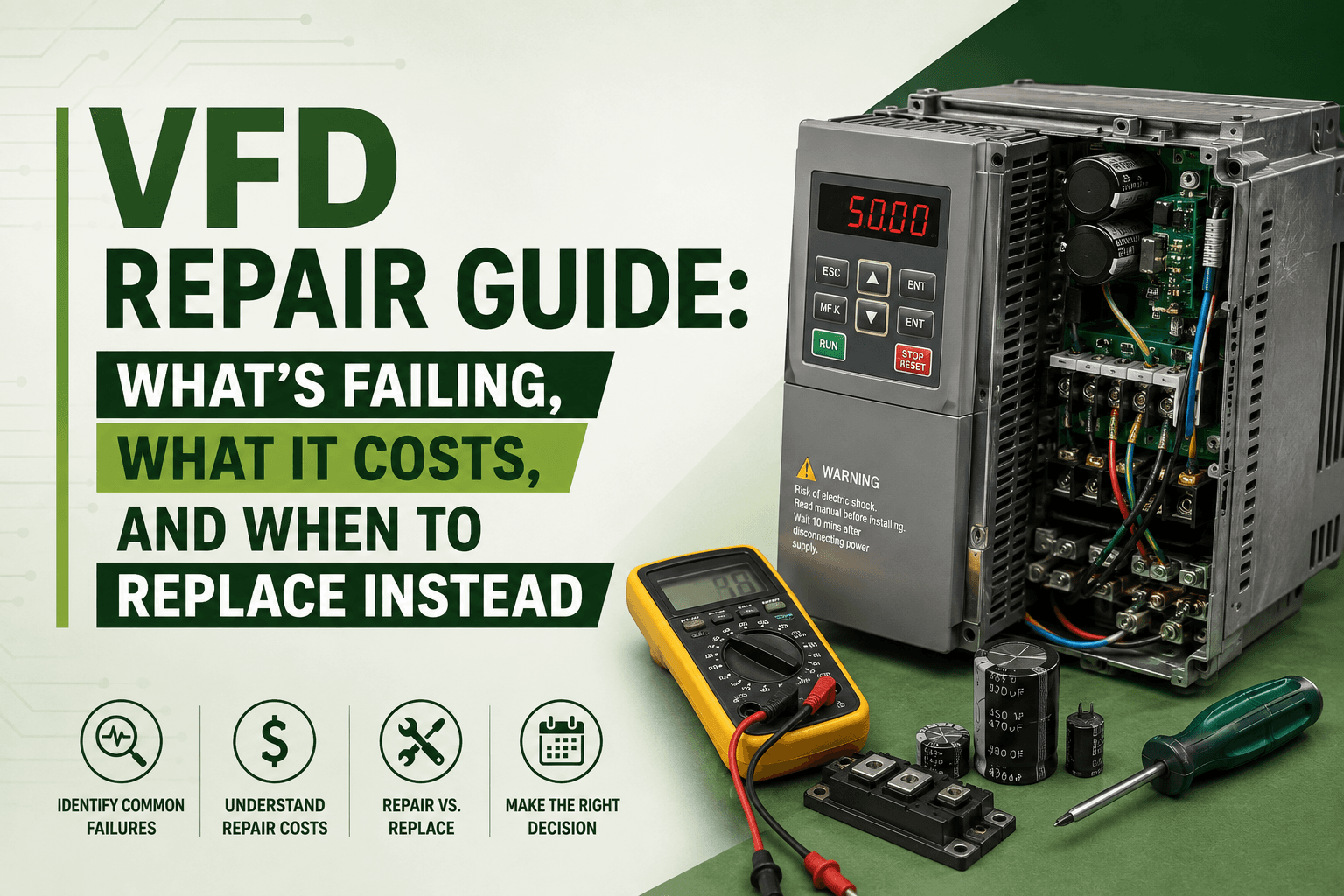
VFD Repair Guide: What's Failing, What It Costs, and When to Replace Instead
Variable frequency drives are the most repaired category of industrial electronics in North America. This guide covers the seven failure modes maintenance engineers encounter most, how to diagnose each one, what repair costs compared to replacement, and which in-stock drives are available now for same-day shipment.
A variable frequency drive failure in an active production system is always an emergency. The conveyor stops. The pump shuts down. The HVAC system goes offline. And within minutes, a maintenance team is standing in front of a faulted drive deciding whether to send it out for repair or order a replacement.
That decision, made under time pressure, without a clear framework, is where most of the real cost of VFD failure is generated. A wrong call means either waiting weeks for a replacement when a three-day repair was possible or sending a drive out for repair when a better unit was sitting in stock. This guide gives you the framework, the failure modes, and the part numbers to make the right call fast.
Industrial Partner stocks variable frequency drives from Allen-Bradley, Siemens, ABB, Yaskawa, and Schneider — including current-production and discontinued replacement models — from our Richardson, TX facility. Same-day dispatch on confirmed in-stock units. Call +1-972-234-4343 or browse at industrialpartner.com/products.
The Seven Most Common VFD Failure Modes
Understanding the specific failure mode before committing to a repair or replacement path saves time and money. Each mode has different diagnostic indicators, different repair complexity, and a different cost profile.
1. Electrolytic Capacitor Degradation
This is the most common cause of VFD failure in drives over 8 to 10 years old, and the failure mode most likely to be misdiagnosed. The DC bus electrolytic capacitors inside every VFD store energy for the inverter stage and smooth the rectified DC bus voltage. Over time, particularly in environments above 40°C, they lose capacitance, their equivalent series resistance increases, and their ability to suppress ripple voltage deteriorates. The drive does not fail dramatically. It intermittently under load, trips on DC bus undervoltage, or begins producing audible humming from the output that was not there before.
Capacitor replacement is the single most cost-effective VFD repair. A professional repair facility replaces the complete capacitor bank, retests DC bus voltage and ripple under load, and returns a drive that will deliver years of additional service. The total repair cost, parts and labor, is typically 15 to 25 percent of new unit price. This is a component-level intervention that the OEM would charge full replacement cost to address.
2. IGBT Power Transistor Failure
The Insulated Gate Bipolar Transistors in the inverter output stage are the highest-stress components in any VFD. They switch at several kilohertz, carry full motor current, and operate at elevated junction temperatures for the entire run time of the drive. Failure modes include short-circuit failure — usually caused by a downstream fault pushing current above the drive's protection threshold — open-circuit failure from accumulated thermal stress, and gate drive failure caused by control board faults that allow the gates to be driven incorrectly.
IGBT replacement requires component-level diagnostic skill and specialized test equipment to verify the complete inverter bridge under load before the drive is returned to service. It is the most technically demanding VFD repair, but still typically costs 20 to 35 percent of a new drive price for the most common platforms.
3. Control Board and Gate Drive Card Failure
The control board contains the drive's DSP processor, firmware, parameter memory, and all analog and digital I/O. It is the second most common repair category after capacitors. Failure is typically caused by electrical transients on the power supply rails from nearby welding equipment or motor switching events, contamination from conductive dust or metalworking coolant mist landing on the PCB, or moisture ingress through inadequately sealed enclosures. Symptoms range from parameter loss and communication faults to drives that power up normally but do not respond to run commands.
4. Cooling Fan Failure
Every enclosed VFD contains one or more cooling fans that draw ambient air across the internal heatsink. They are the highest wear-rate mechanical component in the drive and the most consistently neglected in scheduled maintenance programs. Bearing failure and blade contamination from airborne dust are the dominant modes. The symptom sequence is predictable: elevated heatsink temperature readings, intermittent thermal overload faults, and eventually thermal shutdown that destroys IGBT modules if not caught first. Fan replacement is the simplest and cheapest VFD repair — and the one that prevents the most expensive failures downstream.
A replacement cooling fan for most major drive platforms costs between $20 and $90. Changing it on a three-to-five-year schedule prevents the thermal IGBT damage that destroys drives worth $1,500 to $25,000. This is the highest-ROI preventive maintenance task for any VFD installation.
5. Input/Output Terminal Board Contamination
In environments with conductive dust, metalworking coolant mist, or chemical vapors, the signal terminal board — carrying analog speed references, digital I/O, and relay outputs, is vulnerable to contamination-induced faults. Tracking between adjacent terminals from conductive particle buildup causes erratic speed reference behavior, false digital input signals, and relay output misfires that are extremely difficult to diagnose without isolating the control wiring and cleaning the terminal board directly.
6. Fieldbus Communication Module Failure
Drives deployed in EtherNet/IP, PROFINET, Modbus TCP, or DeviceNet network architectures carry communication modules that are a common failure point in older drives, particularly where the network experiences voltage transients or inadequate surge protection at the cabinet entry point. Loss of the communication module causes the drive to fault on communication loss and stop — with no mechanical failure in the drive itself. This is one of the most commonly misdiagnosed VFD failure modes, leading to unnecessary drive replacement when only the communication card requires attention.
7. Enclosure Mismatch with the Operating Environment
Installing an IP20 (NEMA 1) drive in a dusty or wet environment is the most preventable VFD failure cause and one of the most common. Dust accumulates on heatsink fins, blocking airflow and driving up operating temperatures. Conductive particles cause PCB tracking faults. Moisture corrodes bus bar connections and input terminals. The failure sequence can take months — beginning as occasional thermal trips, progressing through increasingly frequent faults, and ending in catastrophic drive failure that destroys the power stage entirely. The correct response is not a second repair of the same IP20 unit — it is replacement with an IP54 or IP55-rated drive in the same application.
Repair vs. Replace: The True Cost Comparison
The most common error in the repair-versus-replace decision is comparing only the repair quote against the published list price of a new drive and treating the result as a straightforward economic choice. It is not. The correct comparison is total cost across both paths — and when you include lead time, installation, parameter migration, and downtime, the picture almost always looks different.
Component-level repair on a standard VFD failure mode — capacitors, fan, a single IGBT module, or control board — typically costs 20 to 40 percent of new unit price and takes three to seven business days. A new drive from a major OEM in 2026 often carries a lead time of 12 to 20 weeks for common models and 20 to 40 weeks for larger or specialty frames. The drive may also require rewiring if the replacement is a different frame size, full recommissioning in the PLC or DCS, and re-entry of all parameter settings — assuming a parameter backup exists. If no parameter backup was taken before the failure, add the time to rebuild the parameter set from scratch or from original commissioning records.
For drives under 12 to 15 years old with a single identifiable failure mode, repair is almost always the correct economic decision in the current environment. The exception is when the failed drive's enclosure rating is mismatched to its environment — in that case, the repair will not address the cause, and the same failure will recur.
Replacement is the right choice when multiple failure modes are present simultaneously, when the drive has visible physical damage to the chassis or power stage, when it has reached 15 or more years of service with known capacitor degradation and a history of recurring faults, or when an exact equivalent is genuinely in stock and the installation requires no rewiring or significant recommissioning work.
If your failed VFD is a discontinued model — PowerFlex 4, 40, 70, or 700; SINAMICS MM430 or MM440; ABB ACS50, ACS140, or ACS550 — repair may be the only available path. No new unit replacement exists for these platforms. Contact Industrial Partner with the full model number including all suffixes before assuming a cross-reference equivalent is available and compatible.
In-Stock VFD Replacement Units — Available for Same-Day Shipment
When repair is not the fastest path, or when the failed unit is beyond economic repair, Industrial Partner stocks the most in-demand VFD replacement units across all major platforms from our Richardson, TX facility.
Allen-Bradley PowerFlex Series
The PowerFlex 525 (25B-D010N104) — a 480V, 5HP compact drive with embedded EtherNet/IP and Safe Torque Off — is the highest-volume replacement enquiry for Allen-Bradley systems running pumps, fans, and conveyors. The PowerFlex 525 15HP (25B-D030N114) covers higher-load applications in the same architecture. For high-performance vector applications and Studio 5000-integrated systems, the PowerFlex 755 10HP (20F11ND017AA0NNNNN) and PowerFlex 755 30HP (20F11ND052AA0NNNNN) are the current-generation standard. For HVAC fan applications and legacy PowerFlex 40 replacements, the PowerFlex 400 (22B-D4P0N104) is the correct platform.
Siemens SINAMICS Series
The SINAMICS G120 (6SL3210-1KE11-8UF1) at 0.75kW and SINAMICS G120 (6SL3210-1KE21-3UF1) at 5.5kW are the dominant Siemens drive models in current U.S. manufacturing installations. Both integrate natively with SIMATIC S7-1200 and S7-1500 PLCs over PROFINET and are compatible with the TIA Portal engineering environment. For cabinet-integrated compact applications, the SINAMICS G120C (6SL3225-0BE21-1AA0) provides a smaller footprint with the same control capability.
ABB ACS Series
ABB's ACS range covers general-purpose through high-performance applications. The ACS150 (ACS150-03E-07A3-4) is a compact 3HP general-purpose drive for standard applications. The ACS310 (ACS310-03E-17A2-4) covers pump and fan variable-torque applications at 7.5HP with a built-in EMC filter. The ACS355 (ACS355-03E-15A6-4) serves OEM machinery applications requiring sensorless vector control. The ACS580 (ACS580-01-033A-4) is ABB's current general-industry platform at 20HP, with ABB Ability connectivity for condition monitoring. For closed-loop vector and regenerative applications, the ACS880 (ACS880-01-045A-3) at 30HP is the correct specification.
Yaskawa Series
Yaskawa's current drive catalog spans three main platforms. The V1000 (CIMR-VU4A0004FAA) is a compact 1.5kW general-purpose drive widely deployed in OEM machine tools and packaging equipment. The A1000 (CIMR-AU4A0018FAA) at 7.5kW is the high-performance vector platform that remains one of the most respected drives in precision applications across North American manufacturing. The GA800 (GA80U4018EBA) is Yaskawa's current-generation replacement for new A1000 specifications, offering improved energy savings and a simplified commissioning interface.
Schneider Electric Altivar Series
Schneider's Altivar range covers sub-1HP compact applications through high-power process drives. The Altivar ATV12 (ATV12H075M2) is a 0.75kW single-phase compact drive for light-duty applications. The Altivar ATV320 (ATV320U11M2C) is a 1.1kW book-format drive designed for DIN rail integration in compact machine panels. The Altivar ATV630 (ATV630U15N4) at 1.5kW is Schneider's current general process drive with an integrated EMC filter and support for Modbus, EtherNet/IP, and PROFINET. For applications requiring STO safety function, the Altivar ATV930 (ATV930U15N4) provides the same connectivity with SIL2-rated Safe Torque Off.
Preventive Maintenance: Four Tasks That Prevent Most VFD Failures
The most cost-effective VFD maintenance program is the one that prevents the emergency call entirely. These four tasks, performed on an annual schedule, address the root causes of the majority of premature VFD failures.
1. Clean heatsink fins with dry compressed air. Dust accumulation is the primary driver of thermal shutdown in drive installations on plant floors. Do not use solvents or liquid cleaners. The heatsink should be cleaned at least annually — more frequently in environments with significant airborne particulate.
2. Replace cooling fans every three to five years regardless of apparent condition. Fan bearing failure is sudden and silent until the drive overheats. The cost of a replacement fan is trivial compared to the cost of the IGBT damage that follows a thermal event. Record the replacement date in the equipment maintenance log.
3. Check and re-torque all power and control terminal connections. Loose terminals cause arcing, localized heat, and board damage over time. Use the torque values specified in the drive's installation manual — over-tightening damages terminals as readily as under-tightening.
4. Back up all drive parameters using the OEM commissioning software before any maintenance event. For Allen-Bradley drives, use DriveExplorer or Studio 5000. For Siemens, use STARTER or TIA Portal. For ABB, use DriveWindow. For Yaskawa, use DriveWizard Industrial. Store the parameter file in the equipment maintenance record alongside the wiring diagram. The absence of a parameter backup is the single most common cause of extended downtime after a drive replacement.
Emergency Diagnostics Checklist: What to Do When a Drive Faults
When a VFD faults and production stops, the sequence of actions in the first 15 minutes determines how quickly you recover. Work through this in order.
5. Read and photograph the fault code from the drive's display or keypad before doing anything else. The fault code is the starting point for every diagnostic decision that follows. Do not clear the fault before recording it.
6. Check the drive's fault history log — most drives store the last 8 to 10 fault events with timestamps. A single recent fault is different from the same fault repeating for six months before a final failure. The pattern matters.
7. Measure the input supply voltage at the drive terminals under load. Low or unbalanced three-phase supply causes undervoltage faults and premature drive failure that appears to be a drive problem but is actually a supply problem.
8. Measure the output voltage at the motor terminals and check that all three phases are balanced. An open output phase — from a blown output fuse, a damaged drive output, or a failed connection — causes the motor to draw excessive current on the remaining phases and destroys motor windings.
9. Attempt to connect to the drive with commissioning software and export the parameter file before the drive is removed. Even a drive that cannot run may still communicate. A parameter export at this stage eliminates the recommissioning delay after repair or replacement.
10. Check the motor itself — measure winding resistance between each phase pair and from each phase to ground using an insulation resistance tester at 500V DC. A winding fault in the motor causes persistent overcurrent trips in any drive connected to it. Replacing the drive without testing the motor is the most common reason a second drive fails shortly after installation.
11. Contact Industrial Partner with the full drive model number — including all suffix codes — for immediate availability confirmation on a replacement unit or cross-reference guidance for discontinued models. Call +1-972-234-4343 or submit a request at industrialpartner.com/repair-request.
Frequently Asked Questions
How much does VFD repair typically cost?
Component-level VFD repair for the most common failure modes — capacitor replacement, fan replacement, or a single control card — typically costs 20 to 40 percent of the current new unit price for equivalent drives. A PowerFlex 525 at 480V/10HP that retails around $1,800 to $2,200 would typically see a repair cost of $350 to $700 depending on the specific failure. IGBT replacement on a larger drive is more expensive in absolute terms but still generally represents 20 to 35 percent of new unit cost. Emergency diagnostic fees and rush service add to this.
Can a VFD be repaired if it has been in a flood or electrical fire?
Water damage repair is possible if the drive was powered down during exposure and allowed to dry completely before any attempt to energize it. Attempting to power up a wet drive converts a potentially repairable unit into an irreparable one. Fire damage — particularly if involving temperatures above 85°C or direct flame contact — typically destroys PCB substrates, conductor traces, and plastic components beyond reliable repair. In both cases, a professional diagnostic evaluation is essential before any decision is made.
How do I find the right replacement VFD for a discontinued model?
Three pieces of information are required for a reliable cross-reference: the complete model number of the failed unit including all voltage, enclosure, and option suffixes; the motor nameplate data including full load amps, voltage, and RPM; and the fieldbus protocol the drive must support. With these, Industrial Partner's technical team can identify a current-generation equivalent, confirm protocol compatibility and enclosure suitability, and check stock. Call +1-972-234-4343 with the model number for an immediate check.
What is the difference between a VFD and a soft starter?
A soft starter limits motor inrush current during starting to reduce mechanical shock and electrical stress on the driven equipment — but only during the starting sequence. Once the motor reaches running speed, the soft starter is bypassed and the motor runs directly across the line at full supply frequency. A VFD provides continuous variable speed control across the motor's entire operating range, enabling energy savings on variable-torque loads and precise process control that a soft starter cannot deliver. VFDs cost more, but the energy savings on pump and fan applications typically recover the additional cost within 12 to 24 months.
What information do I need when requesting a VFD quote or sourcing a replacement?
Provide the complete model number including all suffix codes from the failed unit's nameplate, the motor's full load amps from the motor nameplate, the site supply voltage and phase, the required fieldbus protocol, and the enclosure rating of the installed unit. The more complete the information, the faster the team can confirm stock, pricing, and compatibility. Incomplete model numbers — particularly missing voltage or enclosure suffixes — frequently result in the wrong unit being sourced.
Drive down? Browse in-stock VFDs at industrialpartner.com/products — same-day dispatch on confirmed stock before 3 PM CST.
Emergency sourcing: +1-972-234-4343 · sales@industrialpartner.com
Submit a repair request: industrialpartner.com/repair-request
Related: Top 10 Industrial Repairs U.S. Businesses Need Right Now · VFD Complete Buyer's Guide